ABOUT GBC
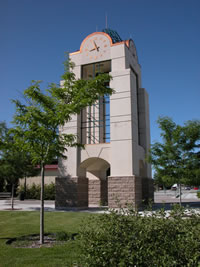
Welcome to Great Basin College!
Great Basin College wants to be your choice for higher education. GBC offers associate and baccalaureate level instruction in career and technical education and academic areas. About 4,000 students are enrolled annually online from across the country and on campuses and centers across 86,500 square miles, two time zones, and ten of Nevada's largest counties. We border Arizona, Oregon, Idaho, Utah, and California. We are GBC!
We are GBC!
ADMISSION TO GBC

ACADEMICS AT GBC

For High School Students
CTE College Credit Program
High School/Dual Enrollment
High School FAQ
High School Students
STUDENT SERVICES
GBC ONLINE

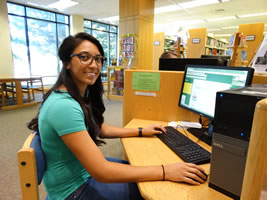
As part of Great Basin College's mission of transforming lives through education, GBC offers hundreds of online classes and several certificate and degree programs. See our current catalog for more information.
COMMUNITY
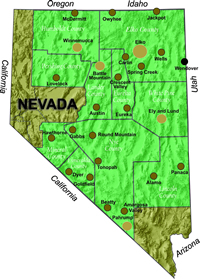
Great Basin College wants to be your choice for higher education. GBC offers associate and baccalaureate level instruction in career and technical education and academic areas. About 4,000 students are enrolled annually online from across the country and on campuses and centers across 86,500 square miles, two time zones, and ten of Nevada's largest counties. We border Arizona, Oregon, Idaho, Utah, and California. We are GBC!
FIND INFORMATION

Need to find COVID-19 information quick? Check out our Coronavirus (COVID-19) Information and Resources page!

RESOURCES


Faculty Tutorials
Network and Gmail Password Changes
Initial Password for Network and Gmail
Your intitial password will be:
- The first three letters of your last name, with the first letter capitalized, followed by
- The first three letters of your first name, with the first letter capitalized, followed by
- Your birthday date and last two numbers of year
For example, if your name is Megan Reed and your birthday is March 6th 1999, then your initial password will be ReeMeg0699. Birthdays, such as the 6th that only contain one number, will contain a zero in front (06). If you have any issues, contact helpdesk to request a reset at 775-327-2170, they may then open a ticket with Computer Services.
Make sure you write down or remember your new password. If you forget this password, please contact the helpdesk at 775-327-2170. It may take up to 24 hours for a password reset.
Resetting Your Network/Gmail Password
Resetting your password:
- You will have only six grace logins with the default password until you are locked out.
- Go to RapidIdentity.
- The first time you visit, you will have to set two challenge questions/answers. Doing so will allow you to change your password.
Network and Gmail Password Rules
Passwords must be
- A minimum of 8 characters long, with
- at least one upper case letter and
- at least one lower case letter and
- at least one numeral
Employee passwords will expire after 90 days and will need to be reset through the RapidIdentity link above. You will receive a warning at login when your password is about to expire. Passwords cannot be repeated until after 8 password changes. If your network and Gmail passwords are no longer synced, use the RapidIdentity link to change your password again.
For More Information Contact
Computer Services
Phone: 775-327-2170
Why Great Basin College
Great Basin College offers associate and baccalaureate level education in academic, career and technical fields. Welcoming students from all corners of the country, both online and at our various campuses and centers, GBC's presence extends across two time zones and spans more than 86,000 square miles throughout Nevada. A leader in rural higher education, GBC takes pride in developing students who are well-prepared to meet the demands of industry and who contribute to the success and prosperity of the local economy.