ABOUT GBC
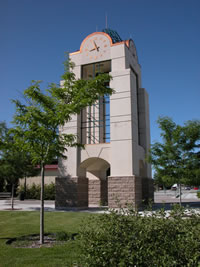
Welcome to Great Basin College!
Great Basin College values you! Valuing what we have in common and our differences means we will foster a college climate of mutual trust, tolerance, informed discourse and always seek to promote GBC as a "safe space" to explore new ideas and perspectives with opportunities for you to grow, learn and be successful in a friendly, supportive campus environment. GBC enriches people's lives by providing student-centered, post-secondary education to rural Nevada. GBC students enjoy outstanding academic programs, smaller class sizes, and excellent faculty who really care about our students. We are GBC!
ADMISSIONS

ACADEMICS

For High School Students
STUDENT SERVICES
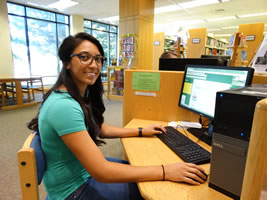
GBC ONLINE
Great Basin College is "The Gold Standard in the Silver State" when it comes to long-distance education and online education delivery. GBC offers hundreds of classes and a diverse array of certificate and degree programs fully online and fully affordable!
COMMUNITY
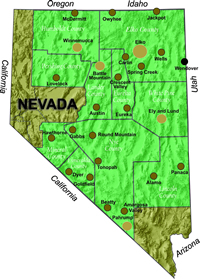
Great Basin College wants to be your choice for higher education. GBC offers associate and baccalaureate level instruction in career and technical education and academic areas. About 4,000 students are enrolled annually online from across the country and on campuses and centers across 86,500 square miles, two time zones, and ten of Nevada's largest counties. We border Arizona, Oregon, Idaho, Utah, and California. We are GBC!
INFORMATION

Need to find COVID-19 information quick? Check out our Coronavirus (COVID-19) Information and Resources page!

RESOURCES

Equipment Needs for WebCampus
For Both Internet and LiveNet Classes
You will need:
- A computer meeting the specifications listed here.
- A high speed Internet connection with a minimum bandwidth of 512kbps.
- A new version of a standard Internet browser with up-to-date Java, Adobe Flash, and Adobe Reader plug-ins. Links for downloading free browsers and plug-ins are here.
To be sure your computer is ready for online courses, click here for instructions on setting up your browser. Completing these procedures will insure that your computer is properly equipped for Internet courses.
Additional Equipment Needs for LiveNet
Before the semester begins, click here to check your computer for LiveNet capability.
You will also need a microphone headset, which you can check out from any GBC campus or arrange to have mailed to you by contacting the Helpdesk.
Why Great Basin College
Great Basin College wants to be your choice for higher education. GBC offers associate and baccalaureate level instruction in career and technical education and academic areas. About 4,000 students are enrolled annually online from across the country and on campuses and centers across 86,500 square miles, two time zones, and ten of Nevada's largest counties. We border Arizona, Oregon, Idaho, Utah, and California. We are GBC!